
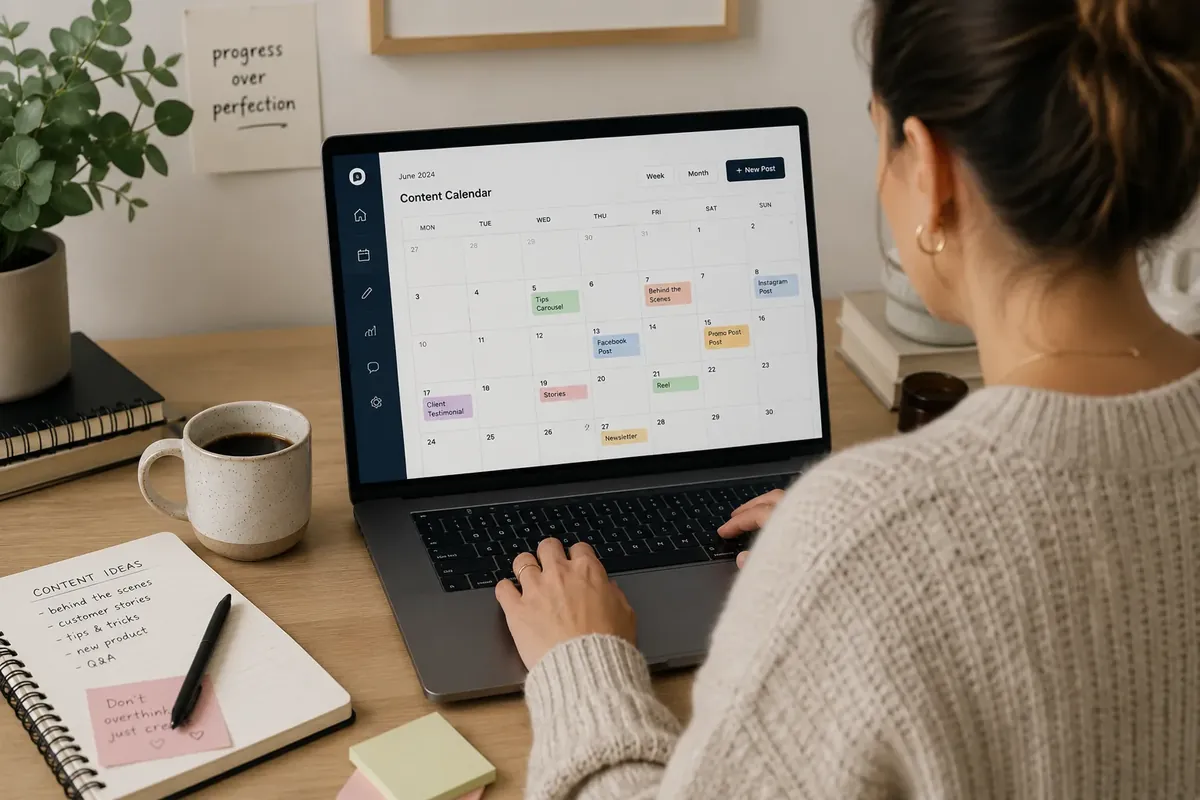
Social Media Content Calendar: How to Build One Without a Marketing Team
Build a social media content calendar without a marketing team. Step-by-step system for small businesses: platform selection, content batching, free tools, and metrics.
Smarteer Team
Contents
Seventy-three percent of small business owners say they struggle to post consistently on social media. The culprit isn't lack of ideas. It's lack of a system. A social media content calendar turns chaotic, last-minute posting into a repeatable process you can actually maintain without a dedicated marketing hire. Most guides on this topic assume you have a team, a budget, and hours of free time each week. Most small business owners have none of those things.

This guide takes a different approach. You'll walk away knowing which platforms actually deserve your attention, how to plan a full month of content in a single afternoon, which free tools genuinely work, and how to keep the calendar running when business gets busy. The advice here comes from working directly with small business owners who've built sustainable content systems with no marketing staff. Some of it will challenge what you've read elsewhere. All of it is actionable on a tight schedule.
Why Consistency Beats Creativity Every Time
The most common mistake small businesses make on social media isn't posting boring content. It's posting sporadically. An account that publishes three times a week, every week, will outperform an account that posts brilliantly once a month and then disappears for three weeks.
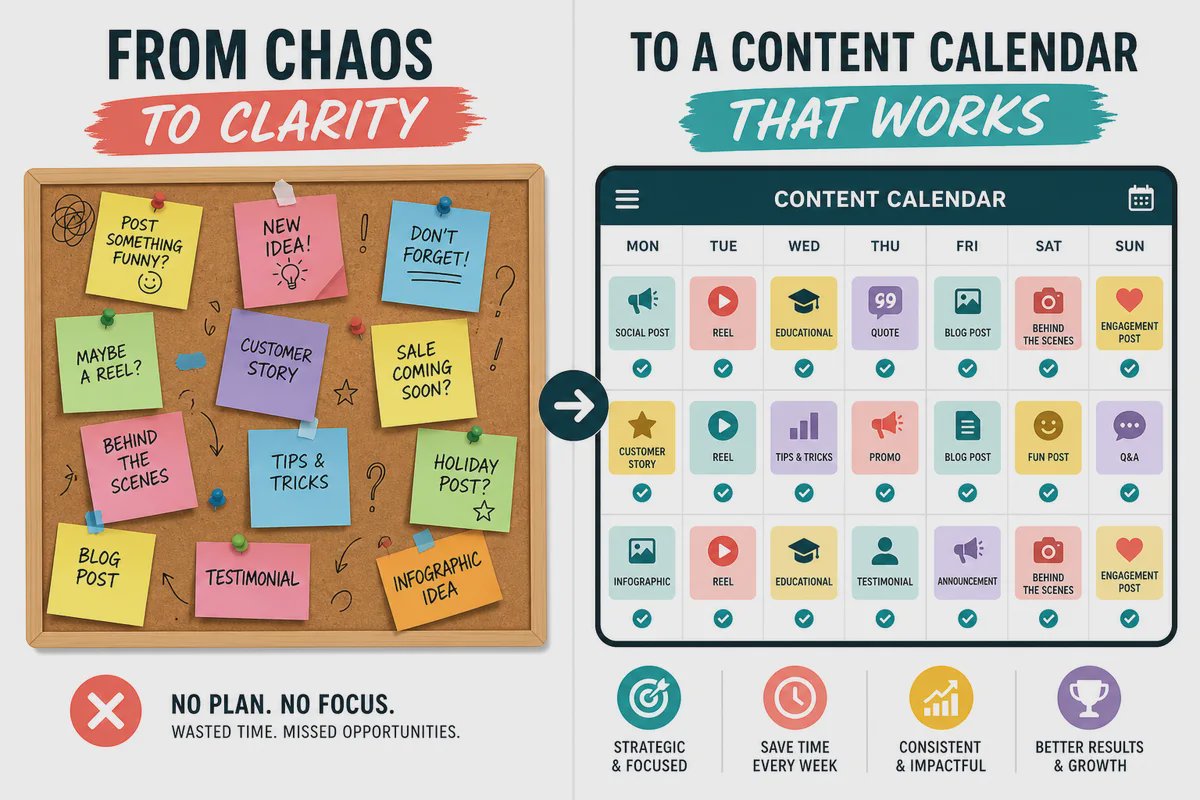
Every major platform rewards consistency through its algorithm. Facebook, Instagram, and LinkedIn all use engagement signals to determine reach, and those signals compound over time. When you post regularly, the algorithm learns your content type and audience. When you drop off, you essentially reset that relationship.
There's also a trust dimension. Inconsistent posting signals to potential customers that a business may be disorganized or even closed. We've seen this firsthand: a local service business that went from sporadic posting to a steady three-posts-per-week schedule saw a 40% increase in profile visits within 60 days, without changing anything about the content itself.
The practical implication here is that good enough, consistently almost always beats perfect, rarely. Your content calendar exists to make consistency possible, not to produce viral moments. Keep that priority straight and the rest of the process becomes much simpler.
Run a Quick Audit Before You Plan Anything
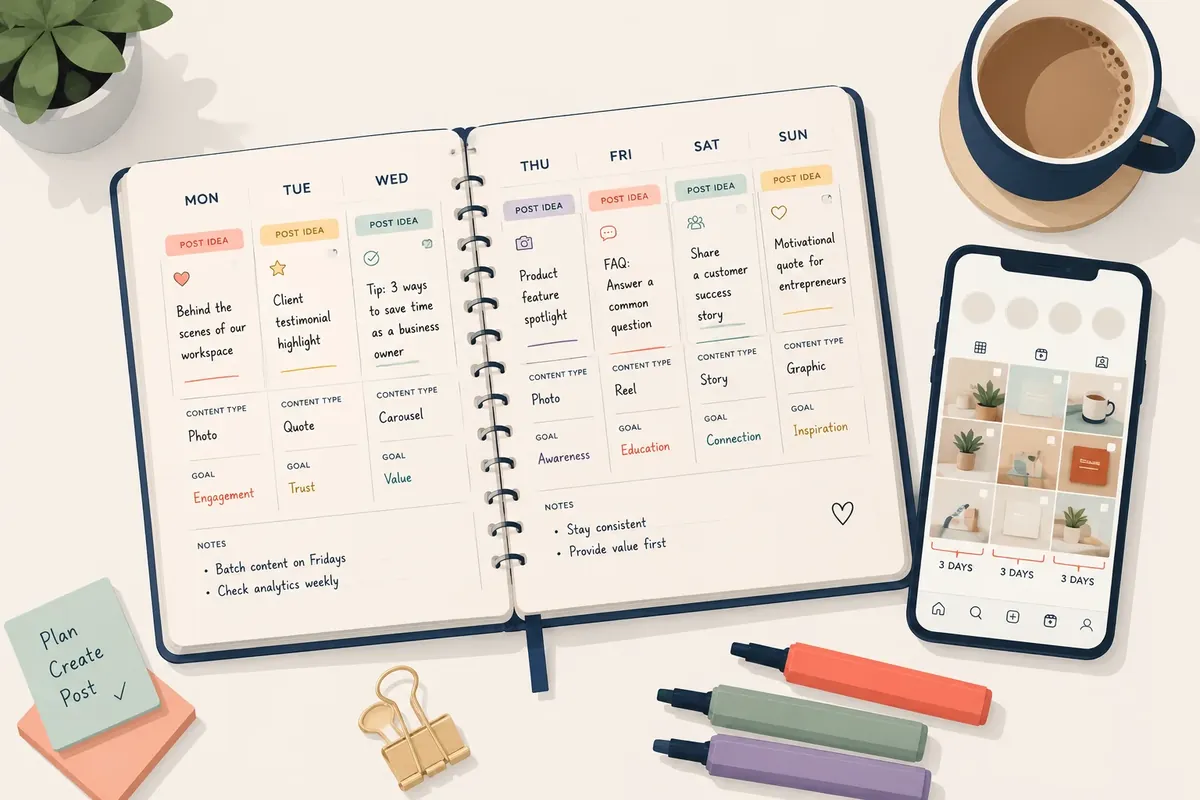
Before building a content planning system, you need a clear picture of where you stand. Skipping this step is how businesses end up building calendars that don't fit their actual situation.
Spend 30 minutes answering these questions:
Which platforms are you currently active on, and which have you abandoned?
What was your average posting frequency over the last 90 days?
Which posts got the most engagement, and what did they have in common?
Who is currently responsible for social media, even if it's "whoever has time"?
How much time per week can you realistically commit to content creation?
The last question is the most important, and most people underestimate how much time content actually takes. Writing a caption, finding an image, and scheduling a post takes 15 to 20 minutes when you're doing it one post at a time. Multiply that by five posts a week across three platforms, and you're looking at several hours before you've planned anything.
This audit will tell you whether your current setup is sustainable or not. If it isn't, your calendar needs to reflect that reality, not an idealized version of your marketing operation.
Choose Your Platforms Deliberately, Not Instinctively
One of the fastest ways to burn out on social media is trying to maintain a presence on too many platforms. Small business marketing works best when it's focused. More platforms means more content to create, more accounts to monitor, and more context-switching every time you sit down to work.
The right question isn't "which platforms are popular?" It's "which platforms are my customers actually using?"
How to Choose the Right Platforms
Start with two platforms maximum. Here's a rough guide by business type:
Product-based businesses: Instagram and Pinterest work well for visual products. Facebook remains strong for local and community-driven businesses.
Service-based businesses: LinkedIn is underused by most small service businesses and delivers strong B2B results. Facebook groups work well for local services.
Restaurants and retail: Instagram and Google Business Profile (which has its own posting feature) tend to deliver the highest return.
B2B or professional services: LinkedIn first, then whichever platform your specific clients tend to use.
You can always expand later. Starting narrow means your content calendar stays manageable, and you'll learn what works on one platform before diluting your effort across five. How to choose the right social media platforms for your business type covers this decision in more detail if you want a deeper breakdown.
How to Build Your Social Media Content Calendar Step by Step
With your audit complete and your platforms chosen, you're ready to build the actual calendar. The process below takes about two to three hours the first time. After that, a monthly refresh takes 45 minutes.
Step 1: Define Your Content Pillars
Content pillars are the three to five recurring themes your posts will rotate through. They prevent the blank-page problem and ensure your feed covers different aspects of your business. Good pillars for most small businesses might include: educational content, behind-the-scenes, customer results or testimonials, product or service highlights, and community or local content.
Pick three to four that feel natural for your business. Every post you create should map to one of them.
Step 2: Set Your Posting Frequency
Three times per week is the sweet spot for most solo operators or small businesses without a marketing team. It's frequent enough to maintain algorithmic momentum, but not so demanding that you'll burn out after two weeks. If three feels like too much right now, start with two. A sustainable lower frequency beats an ambitious one you can't maintain.
Step 3: Map Posts to a Template
Use a simple spreadsheet with columns for: date, platform, content pillar, post format (image, video, carousel, text), caption draft, visual asset needed, and scheduled status. Google Sheets works perfectly for this. You don't need expensive project management software at this stage.
Fill in your pillar rotation first, then add specific post ideas. You're aiming to plan four weeks at a time. Download a free social media content calendar template for small businesses to skip the setup work.
Batch Your Content Creation to Save Hours Each Week
Batching is the single most effective time-saving technique for small business owners managing their own social media. Instead of creating content day by day, you block out one or two sessions per month to produce everything at once.
In practice, this looks like a two-hour block every two weeks where you:
Write captions for the next 10 to 14 posts using your calendar as a guide
Gather or create visuals for each post (photos, graphics via Canva, or short video clips)
Load everything into a scheduling tool like Buffer, Later, or Meta Business Suite
Review and approve so posts go live automatically
The cognitive benefit of batching is underrated. When you switch from writing captions to designing a graphic to responding to comments and back again, you're paying a mental switching cost every time. Batching eliminates that. You stay in one mode, you move faster, and the content is often better because your brain is fully in creative mode rather than constantly interrupting itself.
A common mistake here is trying to make every post perfect before scheduling. Good enough and scheduled beats perfect and sitting in drafts. You can refine your content quality over time. What you can't recover from is three weeks of silence because you were waiting until each post was flawless.
Free and Affordable Tools That Replace a Marketing Team
You don't need a $500/month marketing stack to run a professional content operation. The tools below cover the full workflow for most small businesses at minimal cost.
For design: Canva's free tier handles the vast majority of what small businesses need: social graphics, story templates, carousels, and even short video clips. The paid Pro tier ($13/month) is worth it if you need brand kit features and more template flexibility.
For scheduling: Meta Business Suite is completely free and handles scheduling for Facebook and Instagram simultaneously. Buffer's free plan covers three platforms with 10 scheduled posts per channel. Later is particularly good for visual planning if Instagram is your primary channel.
For content ideas: AnswerThePublic shows you exactly what questions people are searching around your topic. Google Trends identifies seasonal spikes worth planning around. Both are free.
For photography: A modern smartphone camera is enough for most small business content. Natural light, a clean background, and consistency in style matter far more than camera equipment.
The key with tools is to pick one in each category and stick with it. Switching tools every few months resets your workflow and wastes time you don't have. Best free social media tools for small businesses in 2024 has a fuller breakdown if you want to compare options.
How to Know If Your Content Planning Is Working
Measuring social media performance is where most small businesses either obsess over vanity metrics (likes, follower count) or avoid measurement altogether. Neither approach helps you improve.
The metrics that actually matter for a small business without a marketing team are simpler than most people think:
Reach: How many unique accounts saw your content? This tells you if the algorithm is distributing your posts.
Saves and shares: These are the strongest signals of content value. Someone saving your post means they found it genuinely useful.
Profile visits from posts: This shows whether your content is driving discovery. On Instagram especially, this is a sign of top-of-funnel interest.
Direct messages or inquiries: The ultimate downstream metric. If social media is generating conversations, it's working.
Check these numbers once a month, not daily. Daily checking creates anxiety without providing actionable data. What you're looking for are trends over time, not the performance of any single post.
After three months of consistent posting with a proper content planning system in place, you'll have enough data to identify your top-performing content pillars and double down on them.
What This Means for Indian Small Businesses
India has over 63 million MSMEs, and the vast majority run without a single dedicated marketing person. The owner is the marketer, the accountant, the delivery coordinator, and sometimes the person packing the boxes. Fitting a content calendar into that reality requires a different approach than what most Western guides describe.
The good news is that Indian small businesses already have a natural content calendar built in: the festive season. Diwali, Navratri, Eid, Onam, Pongal - these are not just holidays, they're your highest-traffic sales windows. Planning your posts six to eight weeks before a major festival isn't optional, it's the difference between getting orders and watching competitors take them. Start your calendar there and work backwards.
For tools, you don't need to spend big. Zoho Social has India-based pricing and GST invoicing, which matters if you want to claim input tax credit on your software subscriptions. A basic plan runs under ₹1,500 per month, and you'll get an 18% GST invoice you can actually use. WhatsApp Business is free and, for tier-2 and tier-3 city businesses especially, often more effective than Instagram for direct customer communication. Many kirana store owners and family-run manufacturers already use it daily - a simple broadcast list is a content calendar in its own right.
If your business is still cash-heavy or you're just getting started with digital tools, don't overcomplicate it. A free Google Sheet with dates, platform names, and post ideas is enough to start. Add Canva for visuals (free tier works fine) and schedule through Meta Business Suite at no extra cost.
Pick the two or three festive windows most relevant to your product category, block those dates first, and build your posting rhythm around them. That one habit will do more for your consistency than any paid tool.
Frequently Asked Questions
How far in advance should I plan my social media content calendar?
Planning four weeks ahead is the practical sweet spot for most small businesses. It's close enough that your content stays relevant, but far enough ahead that you're not scrambling. Some businesses plan two weeks at a time, which also works well. Planning further than six weeks out often means the content feels stale by the time it goes live.
How many times per week should a small business post on social media?
Three times per week is a solid starting point for most small businesses managing their own social media. Consistency matters more than frequency, so it's better to commit to two posts per week every week than to post daily for two weeks and then stop. Once you have a reliable system, you can increase frequency based on capacity, not pressure.
What should I include in a social media content calendar?
At a minimum, your calendar should include the publish date, platform, content pillar or theme, post format (image, video, text), a caption draft, and a note on what visual asset is needed. You can also include columns for scheduled status and performance notes after posting. A simple spreadsheet handles all of this without any special software.
What is a content pillar and how many should I have?
A content pillar is a recurring theme that your posts rotate through, such as educational tips, behind-the-scenes content, or customer success stories. Most small businesses do best with three to five pillars. Fewer than three and your feed gets repetitive. More than five and planning each post gets complicated. Your pillars should reflect what your audience finds valuable and what naturally showcases your business.
Do I need to use a paid tool to manage my social media content calendar?
No. Meta Business Suite is free and handles scheduling for Facebook and Instagram. Buffer's free plan covers three platforms. A Google Sheet or Notion template works fine as the calendar itself. Paid tools like Hootsuite or Sprout Social offer more features, but they're designed for teams managing multiple clients. Most solo business owners won't use the extra functionality they're paying for.
How do I come up with content ideas when I'm not a marketer?
Start with the questions your customers ask you in real life. Every FAQ you answer in person is a post. Use tools like AnswerThePublic or Google's "People Also Ask" feature to find exactly what your audience searches for. Your content pillars handle the structure. Within each pillar, real customer conversations, industry news, and behind-the-scenes moments give you more material than you'll ever use.
Putting It All Together
Three things matter most when building a social media content calendar without a marketing team. First, consistency will always outperform occasional bursts of effort. The algorithm rewards regularity, and so do your customers. Second, batching your content creation is the practical move that makes consistency possible when you're running a business at the same time. Third, keep your platform count low and your content pillars clear. Focus is what separates businesses that actually maintain their calendar from those who abandon it after a month.
You don't need a marketing team to post consistently and strategically. You need a system that fits your actual capacity.
Start this week: run your 30-minute audit, pick two platforms, define three content pillars, and block a two-hour batching session on your calendar. That's the whole launch plan. Everything else gets easier once those first four steps are done.
Smarteer Team
Get a Free Technology Consultation
Talk to our experts about your project — no commitment required.
Book a Call →Build Your MVP in 4 Weeks
Proven framework. Fixed price. From zero to live product.
Learn More →Newsletter
Get the latest insights delivered to your inbox.