

8 Best Tools to Create Effective Customer Journey Maps
Customer journey mapping helps you see your product through your customers' eyes, tracking every touchpoint from first contact to conversion. Here are the eight best tools to build, share, and iterate on customer journey maps in 2026.
Mohan
Contents
Customer journey mapping helps you see your product or service through your customers' eyes. Every point at which they interact with your business, knowingly or unknowingly, is a touchpoint. Mapping these touchpoints reveals where experiences break down, where expectations are unmet, and where you can make the biggest improvements.
This guide compares the eight best customer journey mapping tools available, covering features, pricing, and best use cases so you can choose the right fit for your team.
What Is Customer Journey Mapping?
Customer journey mapping is the process of stepping into your customers' shoes to understand their personas, needs, goals, attitudes, and pain points. The output is a visual representation of a customer's experience with your brand from first contact through to conversion and beyond.
Journey maps can be simple or complex. A basic map might show a linear sequence of touchpoints. A more detailed one can include entry and exit points, emotional states, personality types, interaction channels, and friction points at each stage. You may also hear them called customer experience maps, user experience maps, UX maps, or persona maps.
What to Look for in Customer Journey Mapping Software
The best tools for the job share a common set of capabilities. When evaluating options, look for:

- Template-based map design to accelerate setup
- Quick editing and map creation without a steep learning curve
- Instant shareability across teams and stakeholders
- Real-time collaboration for distributed teams
- Customer feedback data analytics integration
- Customer action tracking across channels
- Customer persona creation and management
- Multi-channel feedback data integration
- Support for an unlimited number of journey maps
- Clear, easy-to-interpret visualizations
The 8 Best Customer Journey Mapping Tools
The tools below cover a range of use cases, from lightweight visualization to full customer experience management platforms. Some are purpose-built for journey mapping; others are general diagramming tools that handle it well.
1. UXPressia
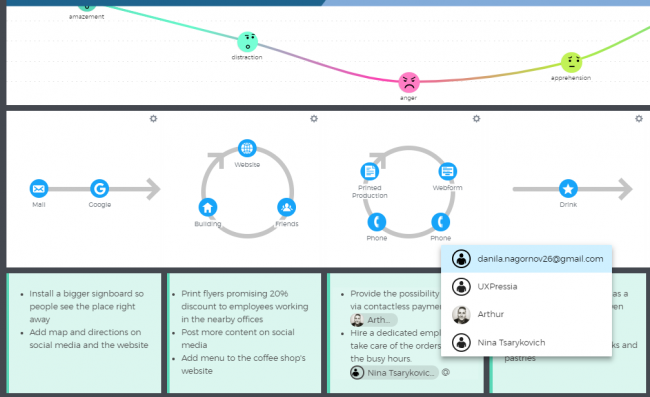
UXPressia is a cloud-based customer experience management platform built specifically for journey mapping. It supports real-time online collaboration for multiple users, integrates with data sources to pull in live metrics, and offers an intuitive drag-and-drop interface.
Beyond journey maps, UXPressia includes flexible persona and impact map creators, along with a library of predefined templates. Teams can create and share custom templates across the organization, making it easier to standardize the mapping process.
Pricing: Free plan available. Paid plans start at $16/month.
Website: www.uxpressia.com
2. Lucidchart
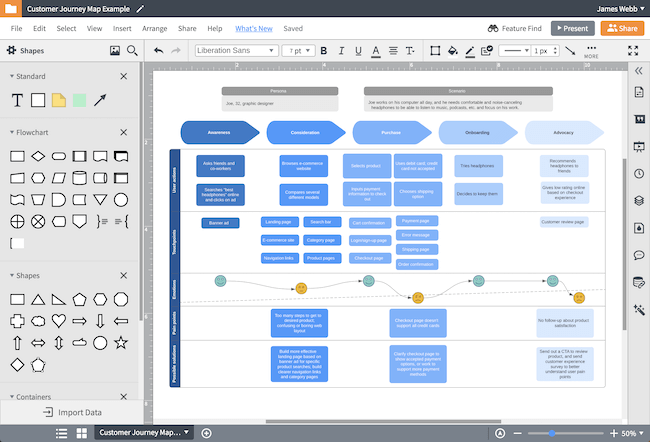
Lucidchart is a versatile visual diagramming tool used widely for customer journey maps, flowcharts, org charts, and process diagrams. Its customizable templates and extensive shape library make it straightforward to build and share journey maps across teams.
The platform integrates with tools like Google Workspace, Confluence, and Slack, which helps keep journey maps connected to the rest of your workflow.
Pricing: Free plan available. Paid plans from $9/month per user.
Website: www.lucidchart.com
3. Microsoft Visio
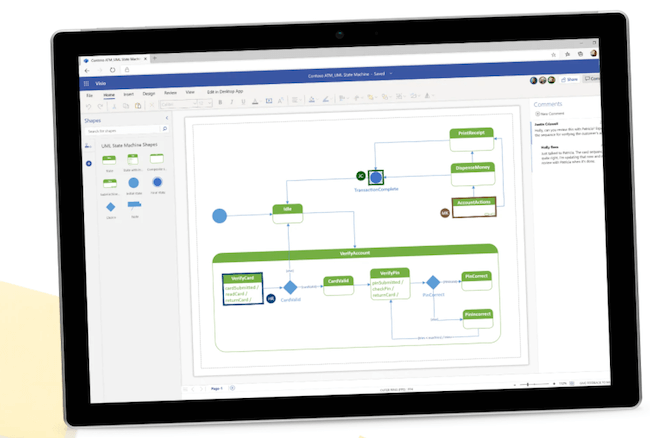
Microsoft Visio is a diagramming tool in the Microsoft 365 ecosystem. It comes with a wide variety of built-in shapes, stencils, and templates for creating everything from simple flowcharts to detailed customer journey diagrams. It is sold separately from standard Microsoft 365 subscriptions.
Visio is a strong choice for organizations already embedded in the Microsoft ecosystem, particularly those that need diagrams to integrate tightly with SharePoint, Teams, or other Office tools.
Pricing: Visio Plan 1 from $5/month. Visio Plan 2 from $15/month. Perpetual licenses also available.
Website: microsoft.com/visio
4. Gliffy
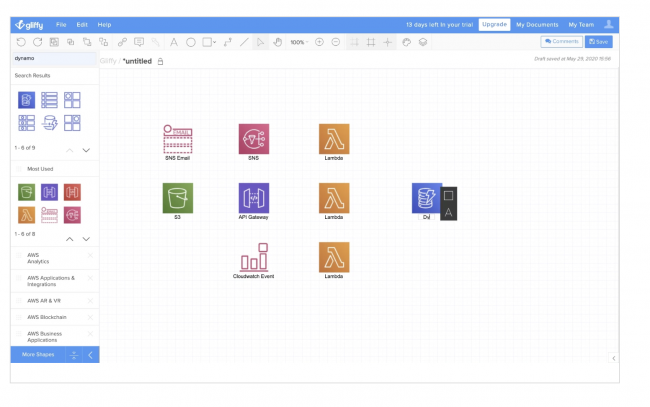
Gliffy is a web-based diagramming editor for creating flowcharts, Venn diagrams, org charts, and journey maps. It is lightweight by design, which makes it fast to pick up but less suited to complex, high-collaboration projects.
The free plan limits you to five public diagrams, so it is not suitable for confidential work. For teams needing more capacity and privacy controls, the paid plans unlock unlimited private diagrams.
Pricing: Free plan (5 public diagrams). Professional: $8/month. Team plans available.
Website: www.gliffy.com
5. Custellence
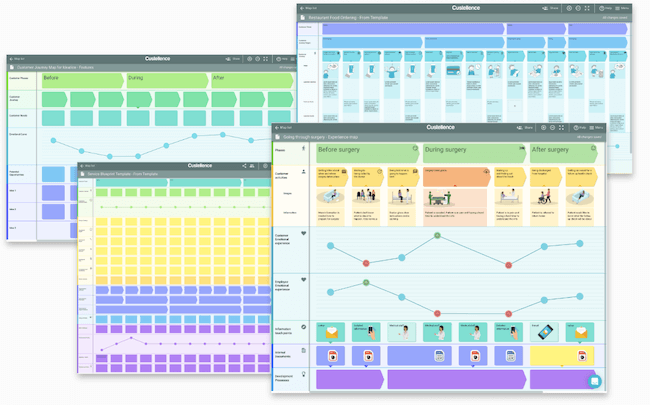
Custellence is a purpose-built customer journey mapping tool that prioritizes simplicity. The low learning curve means teams can get new members mapping quickly without extensive onboarding. It supports flexible map layouts, curved emotion paths to visualize customer sentiment, and a curated image collection for richer maps.
Maps can be easily shared with teammates and stakeholders to encourage cross-functional alignment around the customer experience.
Pricing: Free plan available. Paid plans from €20/user/month.
Website: www.custellence.com
6. OmniGraffle
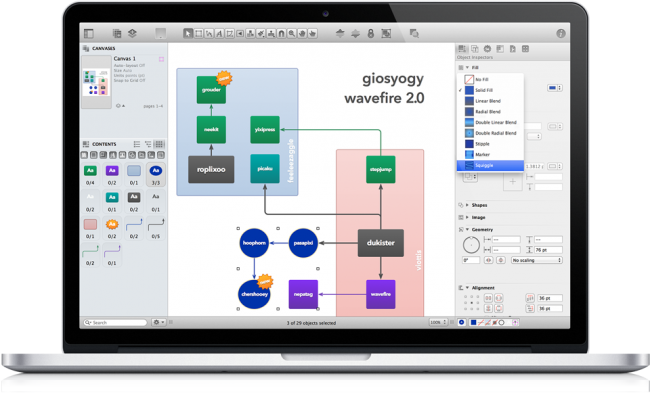
OmniGraffle, developed by The Omni Group, is a Mac and iOS diagramming tool used for wireframe design, process mapping, and customer journey visualization. It is well regarded for its polished interface and the precision it offers for detailed diagrams.
It appeals to designers and product teams who want a native Mac application rather than a browser-based tool. A free trial is available to evaluate it before committing.
Pricing: $12.49/month (subscription, Mac and iOS). $149.99 perpetual license (standard) or $249.99 (pro).
Website: www.omnigroup.com/omnigraffle
7. Smaply
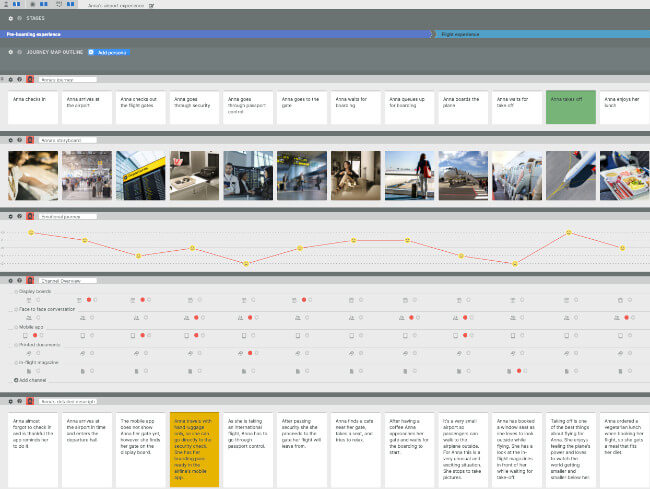
Smaply is a visual customer experience platform designed around three core outputs: journey maps, persona profiles, and stakeholder maps. Journey maps in Smaply can include storyboards, channel layers, live KPI data, and backstage process details, giving teams a rich view of the experience at each stage.
Maps can be hierarchically linked to show both the high-level picture and the granular detail. The persona editor lets teams define customer types with a social-profile style layout. Jira integration means journey insights can be connected directly to the tickets your team is already working on.
Pricing: Free plan available. Basic: €19/month. Pro: €29/month. Enterprise: on request.
Website: www.smaply.com
8. Visual Paradigm
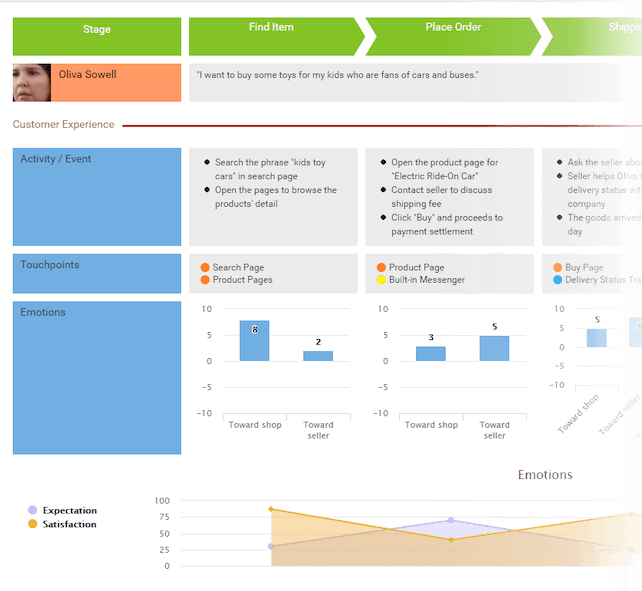
Visual Paradigm is a broad software modeling platform that includes a capable customer journey mapping toolkit. It helps teams visualize the customer experience across specific channels, zoom in on individual touchpoints, and connect journey insights to agile project workflows using built-in tools like its PM Process and Scaled Scrum integrations.
It is a good fit for larger teams or organizations that need journey mapping as part of a wider software design and delivery process rather than as a standalone activity.
Pricing: Subscription from $6/month. Perpetual licenses from $99 (personal) to $1,999 (enterprise).
Website: www.visual-paradigm.com
Choosing the Right Tool for Your Team
The right choice depends on your team's size, existing toolset, and how deeply you want to embed customer journey mapping into your workflow:
- UXPressia or Smaply are the strongest options if journey mapping is a core, recurring activity. Both are purpose-built and actively developed for CX teams.
- Lucidchart is the most versatile general-purpose choice, especially if you are already in a Google Workspace or Atlassian environment.
- Microsoft Visio makes sense for Microsoft-centric organizations that need deep Office integration.
- OmniGraffle suits design-led teams on Mac who want a polished native application.
- Custellence works well for smaller teams or those new to journey mapping who need something easy to adopt quickly.
- Gliffy and Visual Paradigm are worth considering for teams with broader diagramming needs beyond journey mapping alone.
Journey mapping tools are one layer of understanding the customer experience. The maps are only as good as the data behind them. Pairing a visualization tool with real customer feedback gives you both the picture and the evidence to act on it.
Smarteer builds custom web and mobile applications for startups and enterprises. If you are working on a product and want to talk through your development needs, we are happy to help.
Mohan
CEO of Smarteer
Get a Free Technology Consultation
Talk to our experts about your project — no commitment required.
Book a Call →Build Your MVP in 4 Weeks
Proven framework. Fixed price. From zero to live product.
Learn More →Newsletter
Get the latest insights delivered to your inbox.