

How to Read a Meta Ads Report: 5 Numbers That Tell You If the Money Is Working
Learn how to read your Facebook and Instagram ads report with five key numbers, judged in rupees, so you know if your Meta Ads bring real leads and sales.
Smarteer Team
Contents
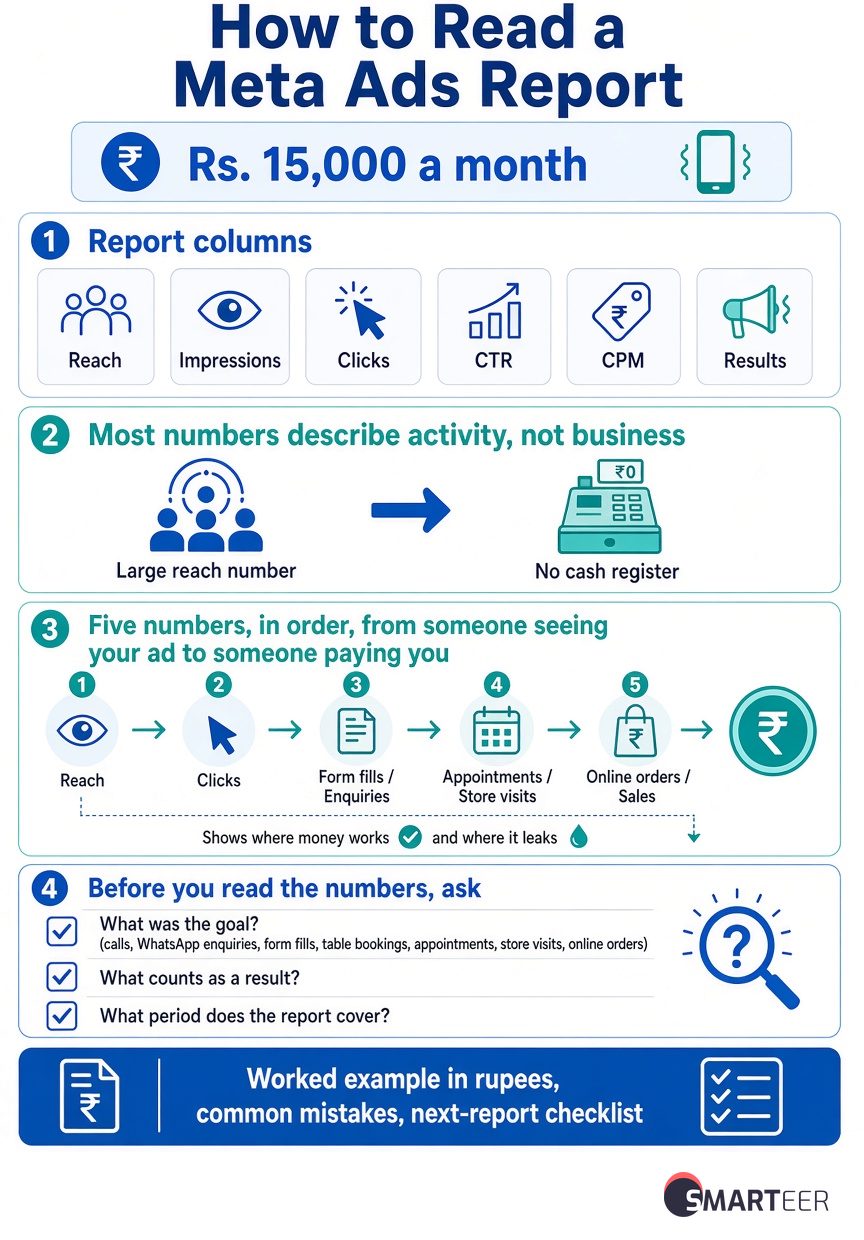
Every month your agency sends a Meta Ads report. It has reach, impressions, clicks, CTR, CPM, results and a few more columns you've never heard of. The numbers usually look good. But your phone isn't ringing much more than it did before you started spending Rs. 15,000 a month on Facebook and Instagram.
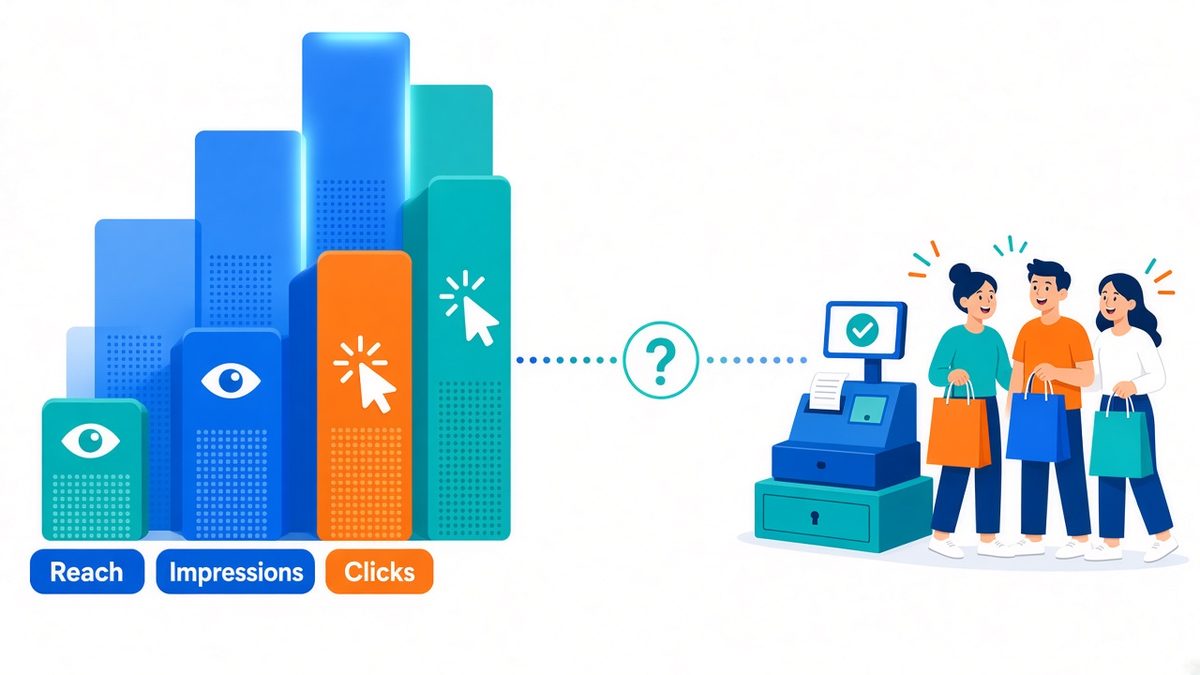
That gap is common, and it isn't always the agency's fault. A Meta Ads report shows dozens of numbers, and most of them describe activity, not business. A low cost per click or a big reach figure doesn't tell you whether the money brought you customers.
This guide shows you how to read a Meta Ads report using just five numbers. Follow them in order, from someone seeing your ad to someone paying you, and you'll know where the money is working and where it leaks. There's a worked example in rupees, the mistakes we see most often, and a checklist you can use on your next report.
Before You Read the Numbers: What Was the Campaign Meant to Do?
Meta optimises for whatever goal the campaign was set up with. A campaign set up for engagement will find people who like and comment. A campaign set up for leads will find people who fill in forms. If you judge an engagement campaign by sales, it will always look like a failure, and if you judge a sales campaign by likes, it will always look like a success.
So before you look at a single number, answer four questions:
- What was the goal? Calls, WhatsApp enquiries, form fills, table bookings, appointments, store visits or online orders?
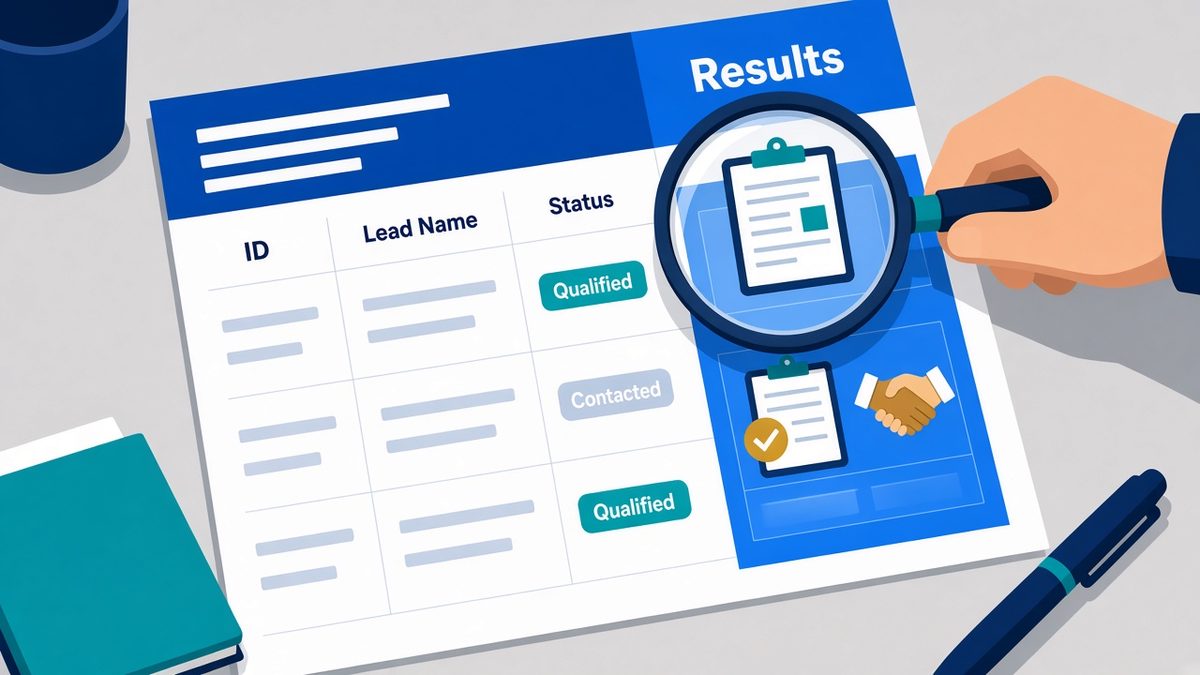
- What counts as a "result"? A form fill is not the same as a qualified lead, and an online order isn't automatically a profitable one. Ask your agency exactly what the "Results" column is counting.
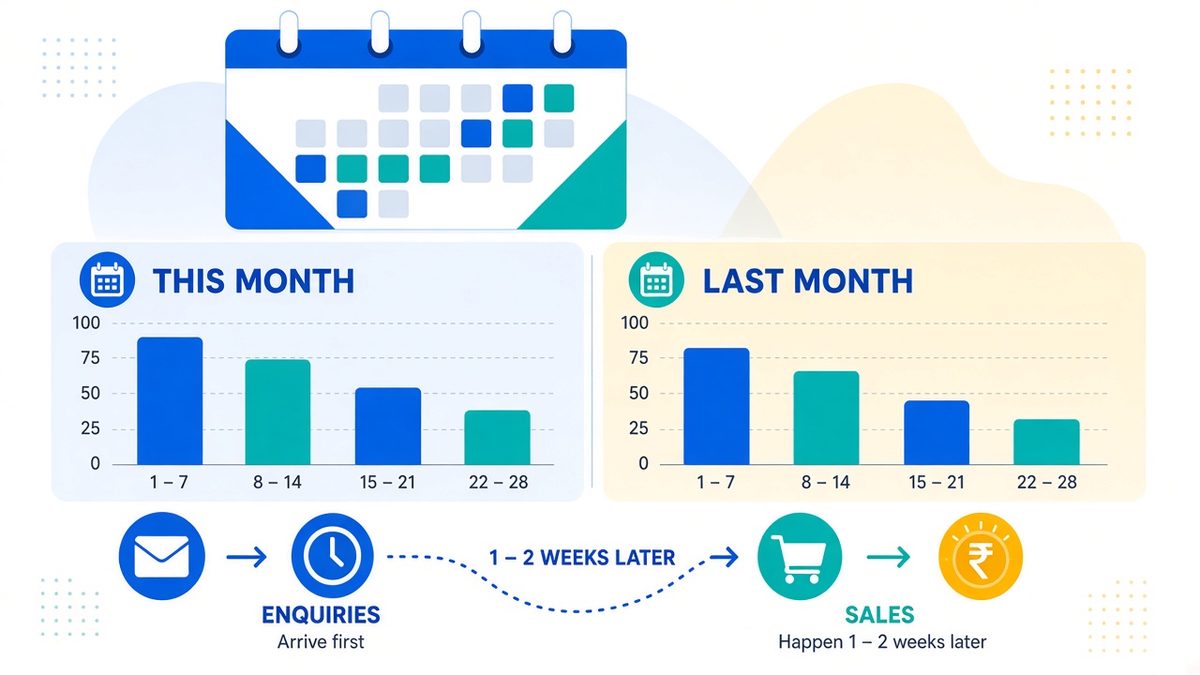
- What period does the report cover? Compare like with like: this month against last month, or this Diwali offer against the last festive offer. Leave room for enquiries that turn into sales a week or two later.
- What attribution window is used? Meta can credit a sale to an ad if someone clicked it, or just saw it, within a set number of days. That setting changes the numbers you see, so keep it the same between reports.
A restaurant pushing a weekend offer, a clinic filling appointment slots and a D2C brand selling skincare online should not all be judged by the same number. Once you know the goal, the five numbers below tell you how well the money served it.
The Five Numbers That Matter in Your Meta Ads Report
Think of them as a path. The first number tells you what it cost to be seen. The second tells you whether people cared. The third tells you what each result cost. The fourth tells you whether clicks became real actions. The fifth tells you whether it all paid for itself.
| # | Number | The question it answers |
|---|---|---|
| 1 | CPM | What did it cost to show my ad? |
| 2 | Link CTR | Did people click through? |
| 3 | Cost per result | What did each lead, booking or sale cost? |
| 4 | Conversion rate | Did the clicks turn into real actions? |
| 5 | ROAS or customer value | Did the revenue justify the spend? |
1. CPM: What Did It Cost to Show Your Ad?
CPM is the cost of showing your ad 1,000 times. It tells you how expensive it was to get in front of people.
Formula: ad spend ÷ impressions × 1,000.
CPM depends on your audience, city, season, placement and how many other businesses are bidding for the same people. A clinic targeting a 5 km radius in a smaller city and a D2C brand targeting women aged 25 to 40 across six metros will see very different CPMs, and both can be fine. CPMs also tend to rise around festivals and sale seasons, when every brand is advertising at once.
How to judge it: compare your CPM with your own past campaigns for the same goal, area and time of year, not with a number from someone else's business. A sudden jump is worth a question.
Ask your agency: did the CPM rise because the audience got narrower, the area changed, or competition went up?
Keep in mind: a low CPM only means views were cheap. It says nothing about whether the right people saw the ad or cared about it.
2. Link CTR: Did People Click Through?
Link click-through rate is the share of people who saw your ad and then clicked its link to your website, form or WhatsApp. It shows whether the ad gave people a reason to act.
Formula: link clicks ÷ impressions × 100.
Look for Link CTR or Outbound CTR in the report, not "CTR (all)". The "all" version counts every tap, including likes, profile visits and taps to expand the caption, so it always looks better than it is.
How to judge it: around 1% or more is a reasonable starting point for checking link CTR on a feed ad, but it is not a pass or fail mark. Video ads, Stories and Reels, and different industries all behave differently. Compare your ads with each other: the one with the higher link CTR is usually the clearer message.
Ask your agency: does the ad show the offer and the next step clearly? Does the click go to the right page, or straight into a WhatsApp chat?
Keep in mind: a high CTR with few enquiries usually means the ad promised something the page didn't deliver, or the page is hard to use on a phone.

3. Cost per Result: What Did Each Lead or Sale Cost?
Cost per result is your ad spend divided by the number of results, where a result is whatever the campaign was set up to get: a lead, a booking, a message or a purchase. This is the number most owners should look at first, as long as "result" is clearly defined.
Formula: ad spend ÷ results.
For example, a Rs. 6,000 campaign that brings 20 enquiries has a cost per enquiry of Rs. 300. That sounds useful, but on its own it doesn't tell you whether those 20 people picked up the phone, were in your area or could afford your service.
How to judge it: work backwards from your own business. Say a clinic earns Rs. 1,500 per appointment, and 1 in 5 genuine enquiries books one. Then each genuine enquiry is worth about Rs. 300 in revenue, before staff time and other costs. A cost per enquiry of Rs. 300 would leave nothing, while Rs. 100 leaves room. For a D2C brand, compare the cost per purchase with your margin after product cost, shipping, discounts and returns.
Ask your agency: is this the cost per form fill, per qualified lead, per appointment that actually happened, or per completed sale?
Keep in mind: a cheap lead is expensive if it never answers, books or buys.
4. Conversion Rate: Did the Clicks Become Real Actions?
Conversion rate is the share of people who clicked your ad and then did the thing you wanted: placed an order, booked, or sent a genuine enquiry.
Formula: conversions ÷ link clicks (or landing page visits) × 100.
For lead campaigns, track two rates: how many visitors became leads, and how many leads were genuine. The second one usually needs your own records, because Meta can't see who turned out to be serious.
How to judge it: there's no single healthy number for Indian small businesses. A short WhatsApp enquiry will convert differently from a Rs. 20,000 purchase that people think about for days. What matters is your own trend: the same page and offer, month on month.
Ask your agency: does the landing page load fast on a phone? Are the price, location, delivery area and next step clear? Does the form or checkout actually work? Test it yourself from your own phone.
Keep in mind: if CTR is healthy but conversions are low, the problem is usually after the click, on the page, the form or how fast someone replies, not in the ad itself.
5. ROAS or Customer Value: Did the Revenue Justify the Spend?
ROAS (return on ad spend) is revenue from the ads divided by what you spent on them. A ROAS of 3 means Meta reports Rs. 3 in sales for every Rs. 1 spent.
Formula: revenue from ads ÷ ad spend.
How to judge it: ROAS is not profit. If your margin after product cost and delivery is 40%, a ROAS of 2 means you spent Rs. 1 to earn Rs. 0.80 of margin, so you lost money. Work out your break-even ROAS: 1 ÷ your margin. At a 40% margin, break-even is a ROAS of 2.5. Anything below that loses money on the first order, unless customers come back and buy again.
For businesses that sell offline, such as clinics, restaurants, coaching centres and local services, Meta can't see the sale. Use cost per qualified lead, cost per appointment that actually happened, or the value of jobs won from ad leads, taken from your own records.
Ask your agency: does the revenue Meta reports match your store, payment gateway or accounts? How many of these buyers would have bought anyway?
Keep in mind: Meta gives its ads credit by its own rules. Treat its ROAS as one view, and check it against real orders and payments.
A Worked Example: Reading a Rs. 10,000 Campaign
Here's an illustration for a small D2C skincare brand. These numbers are made up to show the method, not a benchmark.
| From the report | Value |
|---|---|
| Ad spend | Rs. 10,000 |
| Impressions | 50,000 |
| Link clicks | 750 |
| Website purchases | 15 |
| Revenue reported by Meta | Rs. 30,000 |
Now the five numbers:
- CPM: Rs. 10,000 ÷ 50,000 × 1,000 = Rs. 200
- Link CTR: 750 ÷ 50,000 = 1.5%
- Cost per purchase: Rs. 10,000 ÷ 15 = about Rs. 667
- Conversion rate: 15 ÷ 750 = 2%
- ROAS: Rs. 30,000 ÷ Rs. 10,000 = 3
At first glance this looks healthy. People clicked, and Meta reports Rs. 3 back for every rupee. But the average order is Rs. 2,000. If the brand keeps 45% after product cost, packaging and shipping, each order leaves about Rs. 900 of margin. With each purchase costing Rs. 667 in ads, that leaves roughly Rs. 233 per order before returns, discounts and the agency's fee. Break-even ROAS at a 45% margin is about 2.2, so a ROAS of 3 is above it, but not by much.
The next step is to check the store's own orders. If the store shows 11 orders from this period instead of 15, the real ROAS is closer to 2.2 and the campaign only breaks even. Fix the tracking before raising the budget. If customers often reorder within three months, the campaign may still be a good deal. That's why repeat purchases belong in the conversation.
Common Mistakes When Reading a Meta Ads Report
- Judging a sales campaign by likes, reach or video views. These are signs of attention, not business.
- Reading "CTR (all)" as link clicks. It counts every tap and flatters the ad.
- Calling every form fill a good lead. Count the ones who answered and were genuinely interested.
- Comparing your cost per lead with someone else's. A local clinic and a national D2C brand live in different auctions.
- Judging on a few days of data. Meta needs time to learn. Changing the audience, ad and budget all at once makes it impossible to know what worked.
- Treating Meta's reported sales as certain. Check them against your own orders, bookings or payments.
- Assuming cheap clicks mean profit. A low CPM or cost per click says nothing about who bought.
- Comparing periods that aren't alike. A festive month with a big discount isn't a fair comparison with a quiet month.
- Forgetting that leads take time. Some enquiries book or buy a week or more later.
- Never checking the tracking. If the Meta Pixel or conversion events are broken, every number after the click is wrong.
A Quick Checklist for Your Next Agency Report
Before you approve the report or change the budget, check that:
- The campaign goal matches what your business actually needs.
- "Result" is clearly defined: lead, qualified lead, booking, appointment that happened, order or revenue.
- The date range is clear, and comparisons use similar periods.
- CTR means link or outbound clicks.
- Cost per result is in rupees, and the report says what kind of result it is.
- Leads or sales have been checked against your own records.
- ROAS is compared with your margin and break-even, not treated as profit.
- The attribution window and tracking setup are stated.
- The report says what changed, what was learned and what will be tested next month.
If you're also deciding how much to spend on ads versus search, our guide to SEO vs Google Ads for Indian small businesses and our digital marketing budget guide are good next reads.
Frequently Asked Questions
What is a good cost per lead on Meta Ads in India?
There's no single good figure. It depends on your category, city, offer, lead quality and how many leads become paying customers. Work backwards: if one in five genuine leads becomes a customer worth Rs. 2,000 in margin, each genuine lead is worth about Rs. 400, and your cost per lead needs to sit well below that.
Is a 2% CTR good for Facebook or Instagram ads?
It can be a good result, but CTR varies by ad format, placement, audience and goal. Make sure the report shows link or outbound CTR rather than "CTR (all)", then check whether those clicks turned into real enquiries or sales.
What is a good ROAS for a small business?
A good ROAS is one that covers your costs and leaves profit. Your break-even ROAS is 1 divided by your margin. At a 40% margin, break-even is 2.5. Anything above that makes money on the first order, and repeat customers add to it.
Why does Meta report more sales than my store or CRM?
Meta credits sales to its ads by its own attribution rules, which can include people who only saw an ad, or a sale that happened days later. Duplicate tracking events can also inflate the count. Compare the same date range, check the attribution window, and test your Pixel and conversion events.
Which Meta Ads metric should I check first?
Start with the cost of the result your business cares about, such as cost per qualified lead or cost per completed purchase. Then use CPM, link CTR and conversion rate to find out why that result costs what it does.
Conclusion: Follow the Money From View to Customer
Three points matter most. First, judge a campaign by the goal it was set up for, and make sure everyone agrees what a "result" means. Second, read the five numbers in order, from CPM to ROAS, so you can see where the money leaks. Third, check Meta's numbers against your own orders, bookings and payments before you raise the budget.
Your next step: open your latest report, find these five numbers, and work out your break-even cost per lead or ROAS. If you'd like a second pair of eyes on your Meta Ads, or reports you can actually understand, talk to Smarteer about a campaign review built around your numbers.
Smarteer Team
Get a Free Technology Consultation
Talk to our experts about your project — no commitment required.
Book a Call →Build Your MVP in 4 Weeks
Proven framework. Fixed price. From zero to live product.
Learn More →Newsletter
Get the latest insights delivered to your inbox.